
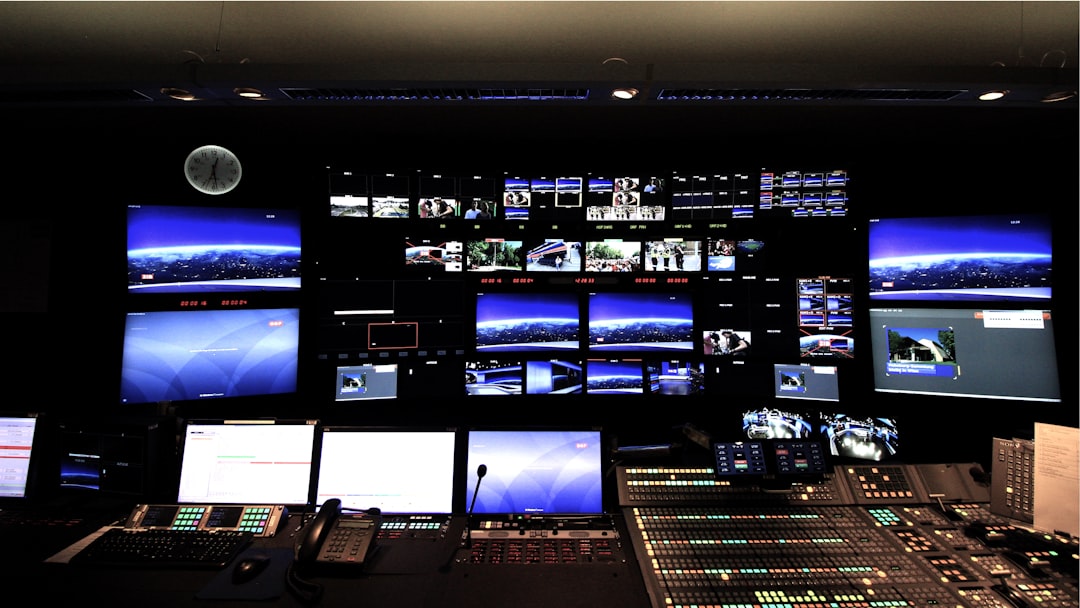
Why Media Production Industry Standard Software Defines Your Workflow
Media production industry standard software shapes every stage of how content gets made — from the first line of a script to the final export. Here’s a quick overview of the essential tools used across the production pipeline:
| Production Phase | Industry Standard Tools |
|---|---|
| Screenwriting | Final Draft, WriterDuet, Highland 2 |
| Scheduling & Budgeting | Movie Magic Budgeting & Scheduling |
| Video Editing | Avid Media Composer, Adobe Premiere Pro, DaVinci Resolve, Final Cut Pro |
| Graphic Design & Motion | Adobe Creative Cloud, Affinity Suite, Figma |
| Review & Collaboration | Frame.io, StudioBinder, Wipster |
| Payroll & Production Management | Wrapbook |
The media production world runs on the right tools. More than 1.5 million production companies and brands rely on integrated platforms to keep their teams aligned. Avid Media Composer remains the go-to non-linear editor for professional film and TV, while Adobe Premiere Pro, DaVinci Resolve, and Final Cut Pro each hold strong positions depending on the workflow. And that’s just post-production — pre-production and design have their own essential stacks.
Getting the wrong tools — or using the right ones poorly — costs time and money.
I’m Chris Robino, a digital strategy leader and AI & search expert with over two decades of experience helping organizations — from startups to enterprises — navigate media production industry standard software and the digital ecosystems around it. In the sections below, I’ll break down exactly which tools matter, why they matter, and how to choose the right ones for your needs.
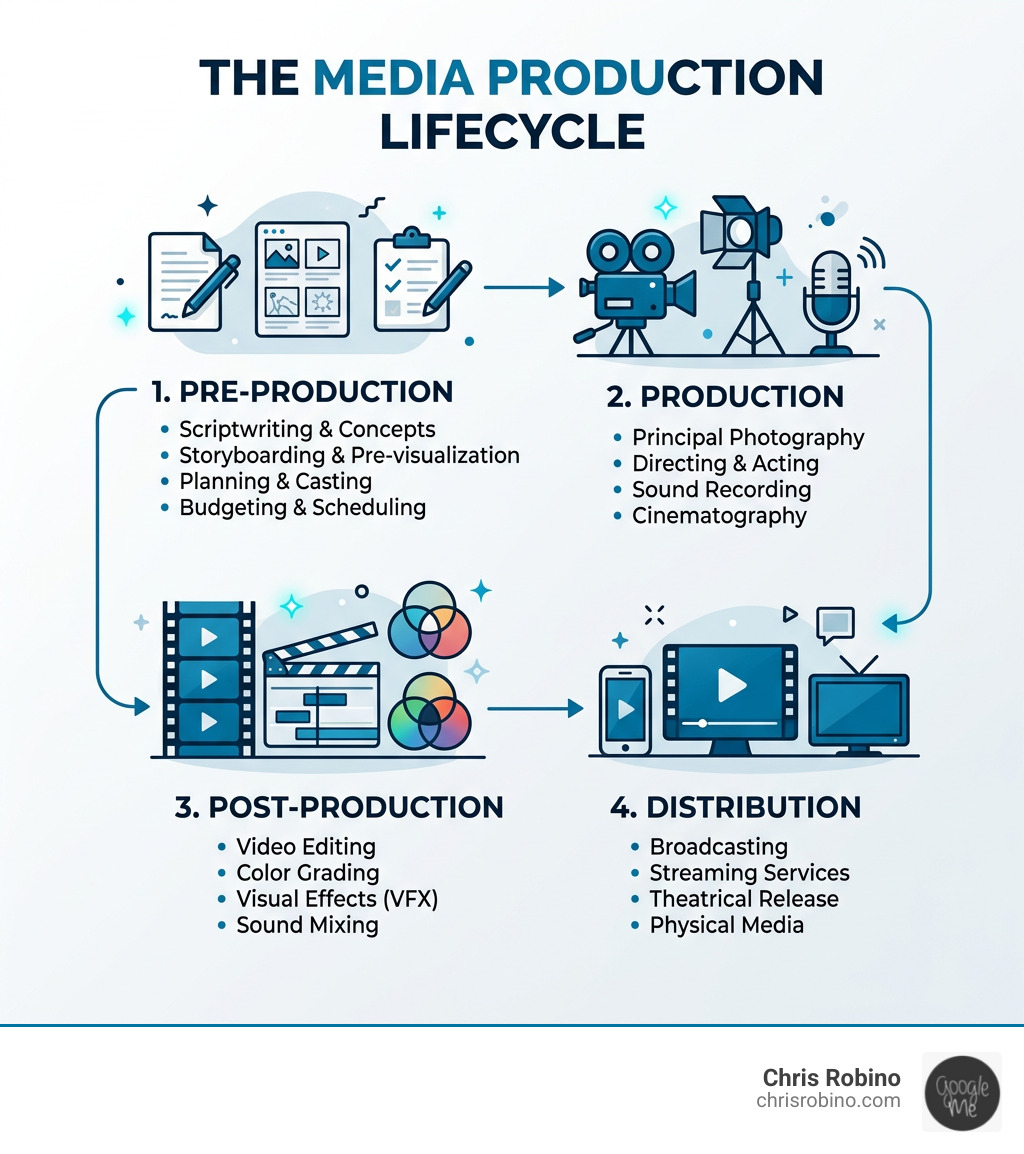
Media production industry standard software basics:
Navigating Media Production Industry Standard Software Across the Workflow
In the high-stakes world of media, a “good enough” tool often isn’t. When we talk about media production industry standard software, we are referring to the programs that have earned the trust of major studios, broadcasters, and high-end creative agencies. These tools aren’t just chosen for their features; they are chosen for their stability, their ability to handle massive file sizes (like 8K RAW footage), and their compatibility with the rest of the industry.

Whether you are a solo creator or part of a global enterprise, your workflow generally follows three pillars: Pre-production (the plan), Production (the shoot), and Post-production (the polish). To navigate this successfully, you need to understand how these tools talk to each other. For example, a script written in an industry-standard format can be instantly “broken down” into a shooting schedule, which then informs the budget and eventually the metadata in your editing suite.
Leading Screenwriting and Pre-Production Tools
Every great project starts with a script, but in professional circles, a script is more than just words—it is a data-rich document.
- Script Formatting & Story Beats: Final Draft remains the undisputed king of screenwriting. It handles the rigorous pagination and industry-standard formatting required by studios. However, modern challengers like Highland 2 (endorsed by writers like Phil Lord and Michael Chabon) offer a “plain text” approach that keeps writers focused on the story rather than manual formatting. For real-time collaboration, WriterDuet acts as the “Google Docs” of the film world, allowing partners to edit simultaneously.
- Script Breakdown & Scheduling: Once the script is locked, the real work begins. You can Start for free with platforms like StudioBinder to automate the script breakdown process. This involves tagging elements like characters, props, and locations to generate reports.
- Budgeting & Logistics: For major productions, Movie Magic Budgeting and Movie Magic Scheduling are the bedrock. They are used on almost every major film and TV show because of their complex “fringe” calculation abilities for union labor. For smaller teams, PreProCloud and Assemble offer more modern, web-based interfaces for project management.
Top Pre-Production Features to Look For:
- Automated Stripboards: Drag-and-drop scene management.
- Call Sheet Tracking: Seeing exactly when your crew opens their call sheets.
- Real-time Collaboration: Multiple users working on the same budget or schedule.
- IP Discovery: Tools like StoryScout help producers find intellectual property to adapt.
Professional Video Editing and Post-Production Industry Standard Software
Post-production is where the “industry standard” label is most fiercely debated. While many tools can cut video, only a few can handle the technical demands of a feature film or a nightly news broadcast.
- The Heavyweights: AVID Media Composer is the veteran. It is the standard for professional film and television because of its unparalleled media management and collaborative shared storage capabilities. If you are working in a studio environment, you are likely using AVID.
- The All-in-One Powerhouse: DaVinci Resolve has evolved from a color-grading tool into a full post-production suite. Its “Free” version is incredibly robust, but the Studio version adds advanced AI tools and neural engine features. It is currently the industry leader for color correction and is rapidly gaining ground in editing and VFX.
- The Creative Choice: Adobe Premiere Pro is perhaps the most versatile. It integrates deeply with the rest of the Creative Cloud, making it the favorite for digital content creators and marketing agencies.
| Feature | Adobe Premiere Pro | DaVinci Resolve | Final Cut Pro |
|---|---|---|---|
| Best For | Creative Integration | Color & Audio | Speed on Mac |
| Pricing | Subscription | $295 (One-time) | $299 (One-time) |
| AI Tools | Text-based editing | Neural Engine Magic Mask | Magnetic Mask |
| Collaboration | Frame.io Integration | Multi-user Project Server | iCloud Collaboration |
For those looking for More info about film industry video, it’s important to note that these tools now all support advanced formats like 4K, 8K, and HEVC natively, allowing for high-resolution workflows without constant transcoding.
Essential Graphic Design and Collaboration Platforms
Media production isn’t just about moving images; it’s about the visual identity surrounding them.
- The Gold Standard: Adobe Creative Cloud (CC) is the essential suite. Photoshop handles raster images, Illustrator handles vector logos, and After Effects is the industry standard for motion graphics and visual effects.
- The Modern UI/UX Edge: For digital-first media teams, Figma has become indispensable for designing user interfaces and collaborative prototyping.
- The Subscription Alternative: Affinity provides a perpetual license model, which is a breath of fresh air for teams tired of monthly fees. It offers professional-grade tools for photo editing and vector design that rival Adobe’s offerings.
- Collaboration & Review: Remote work is now the norm. Frame.io and Wipster allow producers and clients to leave frame-accurate comments directly on a video file, eliminating the need for long, confusing email chains.
Future-Proofing Your Workflow with AI and Advanced SEO Strategies
The landscape of media production industry standard software is currently undergoing a massive shift thanks to Artificial Intelligence. We aren’t just talking about chatbots; we’re talking about tools that can “see” footage and assist in the most tedious parts of the job.
For media enterprises, “producing” content is only half the battle. The other half is ensuring that content is discoverable. This is where More info about digital media transformations becomes vital, as the way people find media is shifting from traditional search to “Answer Engines.”
Leveraging AI and Modern Formats in Media Production Industry Standard Software
AI is no longer a gimmick; it is a productivity multiplier. Tools like Topaz Video AI allow filmmakers to upscale old SD footage to 4K or stabilize shaky shots that would have been unusable a decade ago.
In the editing room, AI in filmmaking is taking over tasks like:
- Automated Rotoscoping: Tools like the “Magic Mask” in DaVinci Resolve or the “Object Mask” in Premiere Pro can track a person or object and cut them out of the background in seconds.
- Text-Based Editing: Adobe Premiere now allows you to edit a video by simply deleting words in a generated transcript.
- Audio Enhancement: AI can now strip away background noise from a recorded interview, making a noisy street recording sound like it was done in a studio.
Beyond traditional video, software now must support AI video generation and immersive formats like 360° VR and 3D environments for virtual production (using engines like Unreal Engine).
Strategic SEO and AEO for Media Enterprises
As a media company, your “software” stack should include your SEO strategy. We are moving into the era of Answer Engine Optimization (AEO). When users ask an AI like ChatGPT or Perplexity for a recommendation, you want your content to be the source it cites.
- Zero-Click Searches: Statistics show that a large portion of searches now end without a user ever clicking a link because the AI provides the answer directly. To combat this, media sites must use How To schema and Article schema to make their data “readable” for AI models.
- E-E-A-T Signals: Google and AI models prioritize Experience, Expertise, Authoritativeness, and Trustworthiness. Your production software choices actually help here—using professional tools leads to higher-quality outputs that signal authority.
- Technical SEO Audits: For large media enterprises, technical SEO is the foundation. This includes optimizing site architecture, ensuring fast page speeds (using tools like PageSpeed Insights), and managing complex SaaS architectures.
For a deeper dive, see More info about media production trends.
Conclusion: Selecting the Right Tools for Your Production Needs
Choosing media production industry standard software is a balance of budget, team size, and project goals.
- Subscription vs. Perpetual: Adobe and AVID favor the subscription model, which ensures you always have the latest updates but creates a recurring cost. Affinity and DaVinci Resolve offer perpetual licenses (one-time payments), which are often more cost-effective for small businesses and startups.
- Scalability: If you plan to grow from a small team to a large enterprise, starting with a platform like StudioBinder or the Adobe ecosystem allows you to add seats and features without changing your entire workflow.
- The Human Element: Software is only as good as the person using it. Hiring skilled professionals who are certified in these tools is essential.
At ChrisRobino.com, we specialize in helping businesses bridge the gap between creative production and technical execution. Whether you are looking to integrate AI into your post-production pipeline or optimize your media site for the next generation of search engines, we can provide the roadmap.
Unlock your potential with media production consulting and let us help you build a workflow that is efficient, modern, and future-proof.