

Why Media Workflow Automation Is the Competitive Edge Modern Teams Can’t Ignore
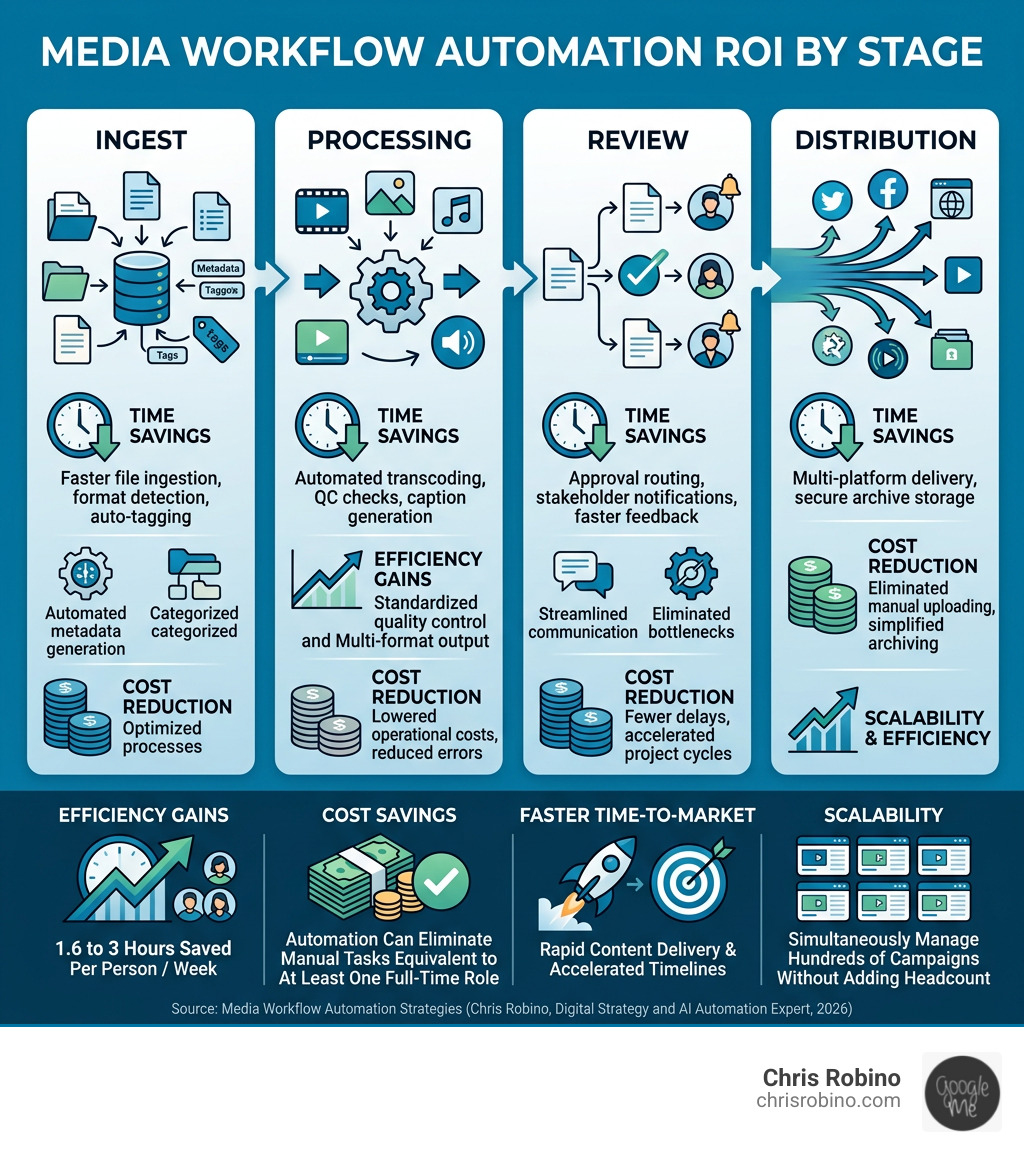
Media workflow automation is the use of software to automatically move, transform, and manage media assets through every stage of production — from ingest and transcoding to approvals, distribution, and archiving — without relying on manual handoffs.
Here’s what it means in practice:
| Stage | What Gets Automated |
|---|---|
| Ingest | File ingestion, format detection, metadata tagging |
| Processing | Transcoding, quality control, captioning |
| Review | Approval routing, stakeholder notifications |
| Distribution | Multi-platform delivery, archive storage |
Key benefits at a glance:
- Efficiency — Teams report saving 1.6 to 3 hours per person, per week
- Cost savings — Automation can eliminate the equivalent of at least one full-time role in manual tasks
- Faster time-to-market — Automated pipelines move content from creation to delivery without waiting on people
- Scalability — Hundreds of campaigns can run simultaneously without adding headcount
Think about what a typical media production day looks like without automation. Assets get lost in email threads. Approvals stall because nobody knows who’s next in line. Designers finish a video but spend the rest of the afternoon manually uploading versions to five different platforms.
It’s not a talent problem. It’s a systems problem.
Media teams today work across a web of tools — editing software, cloud storage, messaging apps, review platforms, and CRM systems — that rarely talk to each other by default. When those tools stay disconnected, even well-planned projects fall behind. Small delays add up fast, and at scale, those delays become real business costs.
That’s exactly where media workflow automation changes the game. Instead of relying on people to manually bridge the gaps between tools and stages, automation does it for you — consistently, quickly, and without dropping the ball.
I’m Chris Robino, a digital strategy and AI automation expert with over two decades of experience helping organizations use intelligent systems to cut waste and accelerate results — including building smarter media workflow automation strategies for teams ready to stop running on manual processes.
Media workflow automation terminology:
The Core Components of Media Workflow Automation
To move from a chaotic “manual-first” environment to a streamlined operation, we must understand the engine under the hood. Effective media workflow automation isn’t just about one tool; it’s about a series of interconnected components that handle the heavy lifting.
| Feature | Manual Process | Automated Process |
|---|---|---|
| Ingest | Manually downloading from cards/email | Auto-detection and upload upon arrival |
| Transcoding | Opening Media Encoder for every file | Background processing based on preset rules |
| QC | Watching every second for “glitches” | Automated software flags audio/video errors |
| Handoffs | Sending a Slack message: “It’s done!” | Trigger-based notifications to the next person |
The foundation of this system relies on triggers and conditional logic. A trigger might be as simple as a video file landing in a “To Process” folder. The conditional logic then asks: Is this for YouTube or Broadcast? If it’s for YouTube, the system applies a specific compression; if it’s for Broadcast, it triggers a high-bitrate transcode and an automated Quality Control (QC) check.
By integrating these steps, teams can focus on Media Creation & Production rather than administrative babysitting. When the system handles the “boring” parts, the creative spark has more room to breathe.
Intelligent Orchestration and AI in Media Workflow Automation
We are moving beyond simple “if-this-then-that” rules into the era of intelligent orchestration. This is where AI acts as a force multiplier for media operations. Instead of just following a path, the system makes data-driven decisions.
For example, AI can now perform predictive risk identification. If a high-priority delivery is scheduled for 5:00 PM and the current rendering speed suggests it won’t finish until 6:30 PM, the system can proactively alert project managers or spin up more cloud resources to meet the deadline.
Furthermore, AI-driven tools handle the tedious tasks that used to take hours:
- Auto-transcription: Converting speech to text for captions in minutes.
- Metadata tagging: Automatically identifying objects, faces, or themes within a video to make the archive searchable.
- Intelligent Ingest: Identifying required outputs automatically based on the input source.
This level of intelligent orchestration dissolves the cognitive load on your staff, allowing one person to manage a volume of content that previously required an entire department.
Centralizing Fragmented Tools with Media Workflow Automation
The biggest enemy of efficiency is “tool fragmentation.” Your designers live in Adobe Creative Cloud, your producers live in Slack, your reviewers are in Frame.io, and your assets are scattered across Google Drive, Dropbox, or on-prem servers.
Automation acts as the “glue” between these islands. Imagine a workflow where:
- A designer saves a file in Premiere Pro.
- The automation platform detects the save and automatically generates a low-res proxy.
- That proxy is uploaded to Frame.io for the client, and a notification is sent to a specific Slack channel.
- Once the client hits “Approve,” the system automatically triggers the high-res render and moves it to final storage.
By centralizing these movements, we eliminate the “where is the latest version?” hunt that plagues so many teams. This visibility is crucial for Video Quality Monitoring & Analytics, ensuring that every piece of content meets brand standards before it ever reaches a viewer’s screen.
Scalable Infrastructure: From Serverless AWS to Hybrid Cloud
As media files grow in size (4K, 8K, and beyond), the hardware required to process them must be flexible. This is why modern media workflow automation often leverages serverless AWS services like Lambda, SQS (Simple Queue Service), and Step Functions.
- AWS Lambda: Runs code in response to triggers (like an upload) without you needing to manage a server.
- SQS: Manages the “line” of jobs, ensuring that if 1,000 videos are uploaded at once, none are lost.
- Step Functions: Coordinates the various “steps” of a complex workflow, managing retries and error handling.
However, many media companies still require on-premises power for high-speed editing. The solution is a hybrid cloud model. This allows you to keep your heavy lifting local while using the cloud for distribution, AI processing, and global collaboration. Understanding the shift to cloud-based media management is essential for any team looking to future-proof their infrastructure.
Implementing Strategic Automation for Long-Term Success
Moving to an automated system shouldn’t feel like open-heart surgery on your production pipeline. It requires a staged approach to ensure production continuity.
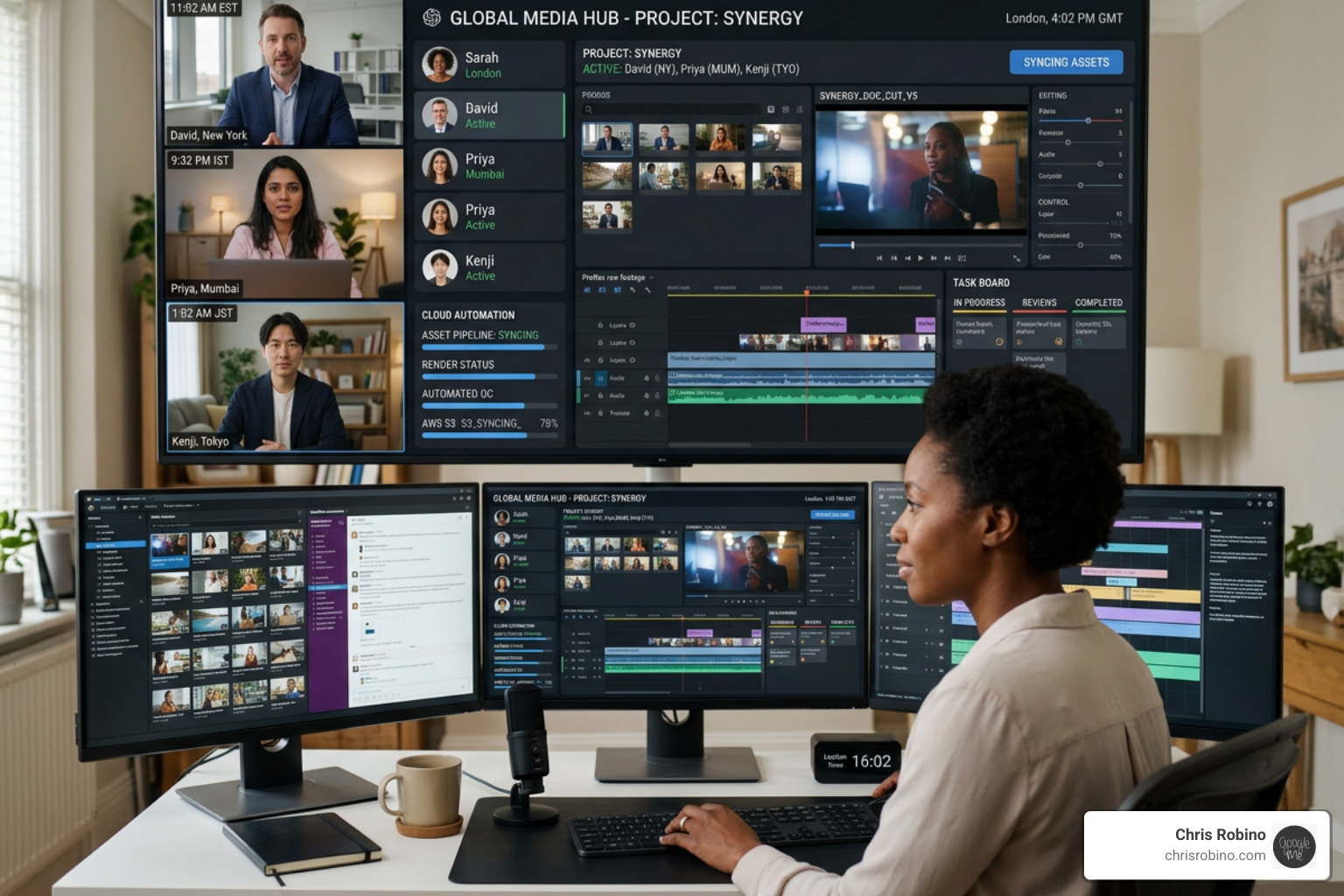
When we help teams migrate, we suggest a parallel path:
- Audit: Identify the most repetitive task (usually transcoding or file naming).
- Pilot: Automate just that one task for 2-4 weeks.
- Integrate: Connect your primary tools (Slack, Adobe, Storage).
- Scale: Roll out the full pipeline to the broader team.
One major concern during this transition is permission controls. Automation doesn’t mean “everyone sees everything.” Effective platforms allow for granular access, ensuring freelancers only see the projects they are assigned to, while clients only see the “Final Approval” stage. This is particularly important when handling Intelligent Content & Archive Management, where historical assets must be protected yet accessible.
Automating Approvals and Stakeholder Reviews
The “Review and Approval” stage is where most media projects go to die. Traditional manual approvals involve long email chains, misinterpreted feedback, and “v3finalFINAL” file naming disasters.
Automation transforms this into a gated process. When a video reaches the review stage, the system automatically:
- Sends a branded link to the stakeholder.
- Sets a deadline and sends automated reminders if they haven’t responded.
- Locks the file for further editing until feedback is received.
- Routes the feedback directly back to the editor’s timeline.
This streamlined approach to Broadcast Content Preparation can turn a three-day approval cycle into a three-hour one. It also makes managing freelancers much easier, as their tasks are automatically triggered and tracked within the system.
Real-World Success and Operational Excellence
We see the power of media workflow automation most clearly in large-scale implementations.
- SPH Media: Manages hundreds of campaigns across more than 130 team members and 40 brands using a centralized workflow. By automating their campaign delivery, they gained total visibility into resource capacity and project risks.
- Broadcasters: Leading sports and news organizations use automated ingest to handle thousands of hours of live footage, using AI to “clip” highlights and distribute them to social media in near real-time.
These organizations achieve what AWS calls Operational Excellence. By utilizing multiple availability zones and built-in error handling (like dead-letter queues), they ensure that their content pipelines never stop, even if a single server or service fails. To learn more about these standards, you can read the Operational Excellence whitepaper.
Conclusion: Future-Proofing with Chris Robino
The media landscape is moving faster than ever. Between the explosion of short-form video, the demand for personalized content, and the constant pressure to reduce costs, manual workflows are no longer just “slow”—they are a liability.
At ChrisRobino.com, we specialize in helping media professionals navigate this transition. Whether you are looking for deep-dive tech analysis, industry insights, or a comprehensive workflow strategy, we provide the expertise needed to turn your production pipeline into a competitive advantage.
By embracing Cloud Broadcast Workflows and intelligent automation, you aren’t just saving time; you’re giving your team the freedom to do what they do best: create.
Frequently Asked Questions
Can workflow automation handle large 4K or 8K video files? Yes. Modern systems don’t usually “move” the massive raw files through the automation engine. Instead, they use “pointers” or generate low-res proxies for the logic stages, only triggering the heavy-duty movement or rendering when necessary.
How long does it take to see an ROI? Most media teams report a significant reduction in administrative load within the first 3-6 months. With teams saving up to 3 hours per person per week, the “reclaimed time” often pays for the software investment within the first year.
Is automation only for large enterprise teams? Not at all. In fact, small teams often benefit more from automation because they have fewer people to handle manual tasks. Automation acts as a “virtual employee,” allowing a small boutique agency to punch way above its weight class.
Does AI replace human editors? No. AI is a “force multiplier.” It handles the tasks that require zero creativity—like syncing audio, generating captions, or transcoding formats—so that human editors can spend more time on storytelling and craft.
Ready to reclaim your time? Explore more AI-Driven Automation strategies and see how we can help you build a smarter media future.