
Why RPA and OCR Are the Foundation of Modern Document Automation
RPA and OCR work together to automate document-heavy business processes — RPA handles the rule-based task execution, while OCR converts printed or scanned text into machine-readable data that robots can actually use.
Quick answer:
| Term | What It Does | Works Best With |
|---|---|---|
| OCR (Optical Character Recognition) | Reads text from images, PDFs, and scanned documents | Unstructured or paper-based documents |
| RPA (Robotic Process Automation) | Executes rule-based tasks across digital systems | Structured, digital data |
| RPA + OCR | Extracts data from documents and acts on it automatically | End-to-end document workflows |
Together, they close a critical gap: over 80% of business data lives in unstructured formats — think invoices, ID cards, contracts, and paper forms — yet most of it goes unused. In fact, Forrester estimates that 60% to 73% of unstructured data simply sits there, never processed, never acted on.
That’s an enormous amount of value left on the table.
The cost of doing nothing shows up fast. Picture a stack of supplier invoices landing in an inbox every morning, each one requiring someone to open, read, type, verify, and file. It’s slow, it’s error-prone, and it scales poorly. Companies like Certas Energy discovered this — and after combining RPA with OCR, processed their complex supplier invoices 93% faster.
The technology isn’t new, but the way it’s being applied is changing rapidly. Modern AI is pushing RPA and OCR well beyond simple document scanning into genuinely intelligent automation — capable of handling messy layouts, handwritten text, and complex multi-page documents with minimal human intervention.
I’m Chris Robino, a Digital Strategy Leader and AI automation expert with over two decades of experience helping organizations cut through complexity and build smarter, scalable workflows — including implementing RPA and OCR solutions across industries ranging from fintech to enterprise retail. In the sections below, I’ll break down exactly how these technologies work, where they deliver the most value, and how to use them effectively in 2026 and beyond.
How rpa and ocr Work Together for Enterprise Automation
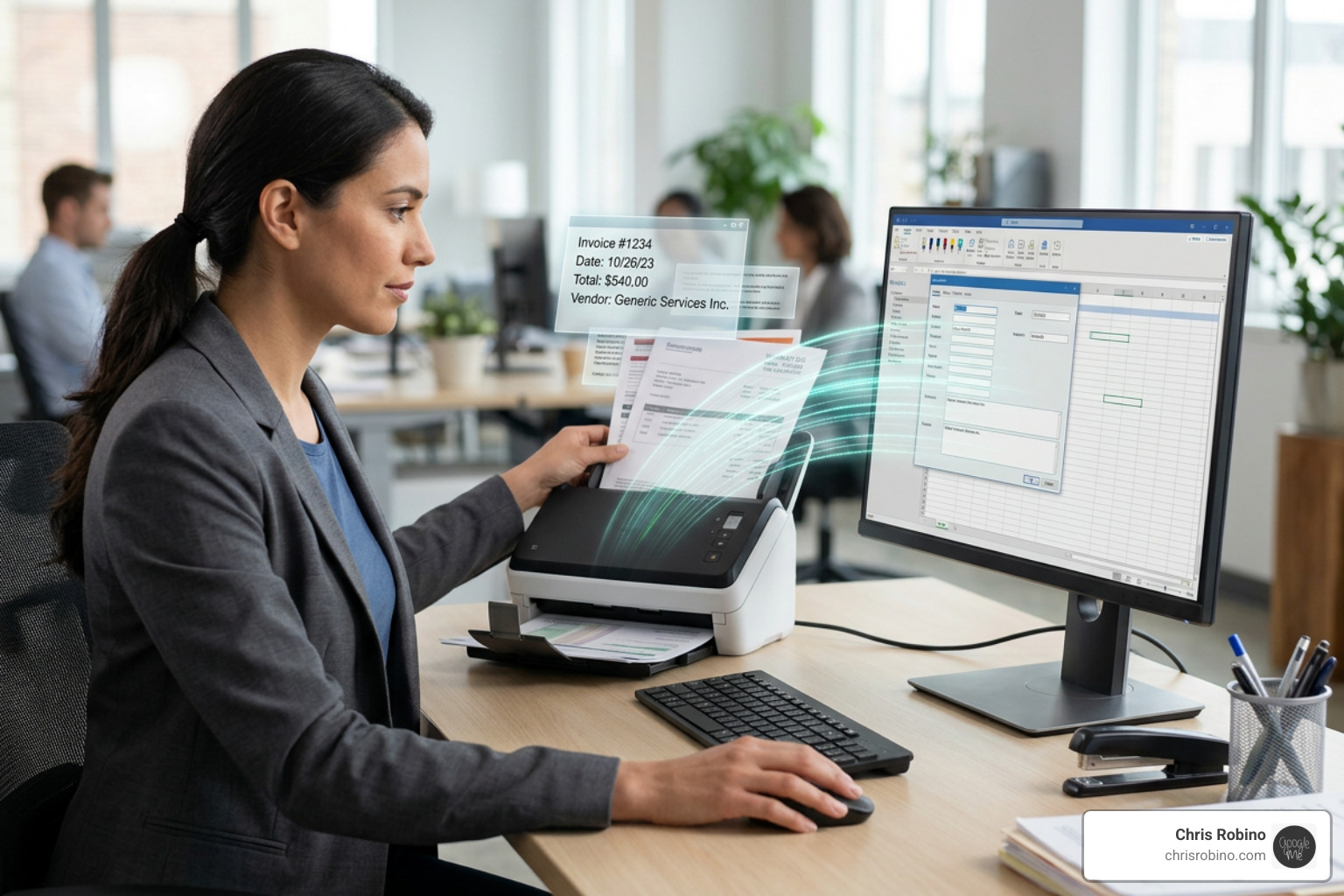
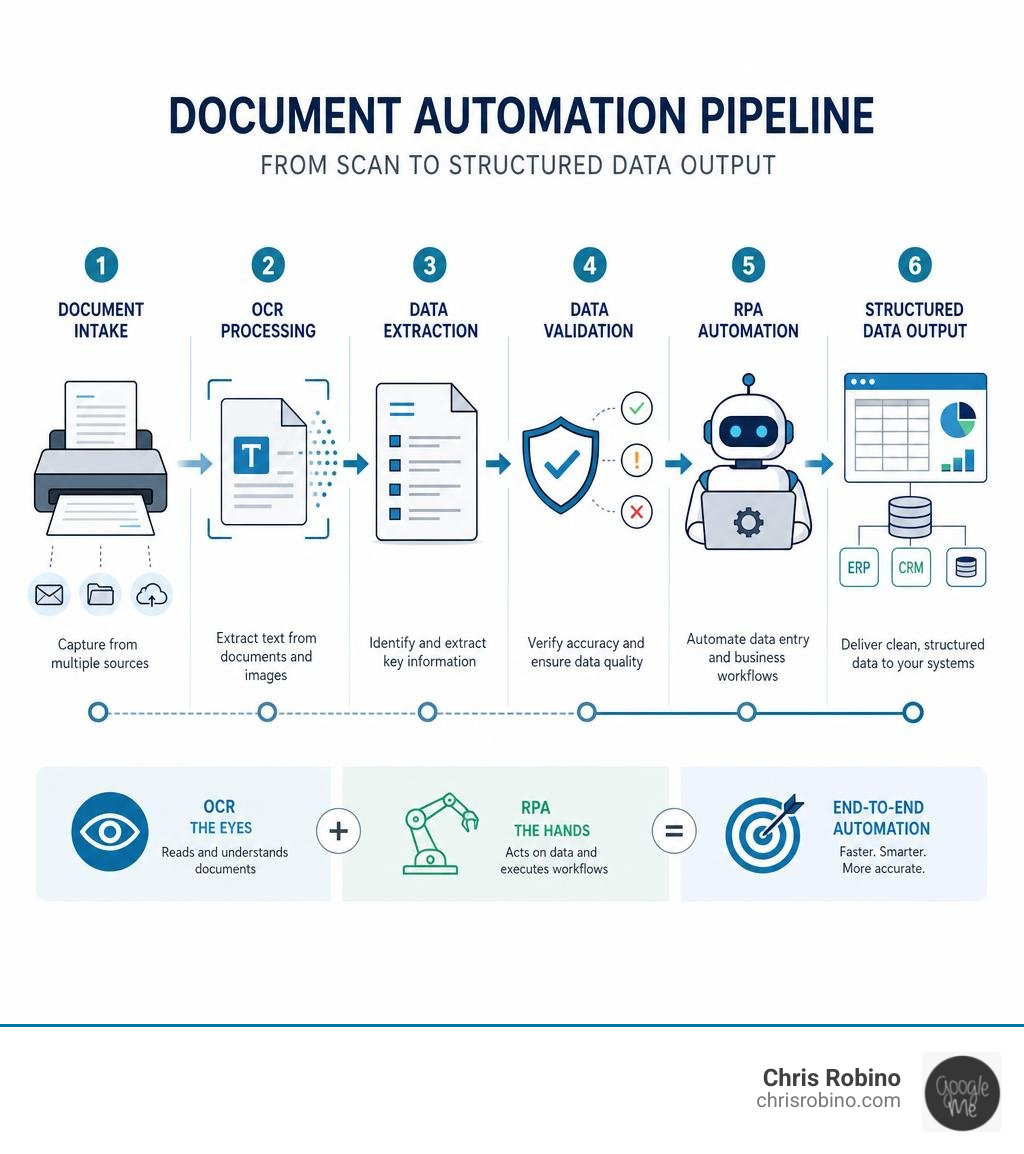
When we design enterprise workflows, we think of rpa and ocr as a partnership. OCR functions as the eyes of the digital worker, scanning physical or digital documents and translating pixels into readable text. RPA functions as the hands, taking that translated text and routing it into your ERP, CRM, or database systems.
Without OCR, an RPA bot is blind to scanned PDFs and images. Without RPA, OCR is just a scanner that leaves extracted text sitting in a document with nowhere to go. When combined, they build a bridge between offline, unstructured paper trails and legacy digital systems, enabling true end-to-end automation.
Understanding the Core Differences Between RPA and OCR
To implement these tools successfully, we must first understand their distinct operational boundaries:
- RPA (Robotic Process Automation): This technology excels at executing highly structured, rule-based digital tasks. If you can write a step-by-step logic tree for it (e.g., “copy this value, open this app, paste it there, click submit”), RPA can do it. However, RPA cannot interpret meaning or read text from a flattened image. To dive deeper into how bots navigate software, see our guide on Robotics Process Automation.
- OCR (Optical Character Recognition): This is a specialized pattern-recognition technology. It analyzes the shapes of characters on a page or image and translates them into digital text strings. OCR does not know what an invoice is or where the data should go; it simply recognizes that a specific shape represents the letter “A” or the number “5”.
By combining them, we create a workflow where OCR structures the unstructured data, and RPA processes it.
How Modern AI and LLMs Solve Traditional rpa and ocr Limitations
Traditional rpa and ocr systems are notoriously rigid. If a supplier changes their invoice layout by moving the “Total Due” box two inches to the left, a traditional template-based OCR engine will fail, and the RPA bot will break.
Fortunately, as of June 2026, modern AI and Large Language Models (LLMs) have completely transformed this landscape. Instead of relying on strict coordinate-based templates, we now integrate LLMs to interpret the OCR output contextually.
Recent breakthroughs highlight this shift:
- The LMV-RPA: Large Model Voting-based Robotic Process Automation framework uses a multi-engine approach (combining engines like PaddleOCR, Tesseract, and DocTR) and processes the results through dual LLMs. By using a majority voting mechanism, it corrects layout variations and ambiguous characters, achieving a staggering 99% accuracy in OCR tasks while reducing processing times by 80%.
- Similarly, the LMRPA: Large Language Model-Driven Efficient Robotic Process Automation for OCR model shows that integrating LLMs directly into the automation pipeline can cut processing times by up to 52% compared to traditional commercial platforms, reducing manual invoice processing times from 600 seconds to just 9.8 seconds (a 98.4% reduction).
By using LLMs to convert raw OCR text into structured JSON formats, we can build resilient, agentic automations that adapt to document variations on the fly. To understand how to bring these cognitive capabilities into your business, explore our insights on AI-Powered Automation.
Key Business Benefits of Integrating rpa and ocr
Integrating these tools brings immediate, measurable improvements to operational efficiency. The fastest OCR software on a decent computer can recognize over 1,500 characters per second, whereas the world’s fastest human typist maxes out around 216 words per minute.
Here is how manual workflows compare to traditional and modern AI-driven automation:
| Metric | Manual Processing | Traditional RPA + OCR | AI-Driven RPA + OCR (LLM-Enhanced) |
|---|---|---|---|
| Processing Speed | Slow (mins to hours per doc) | Moderate (requires rigid templates) | Extremely Fast (seconds per doc) |
| Accuracy Rate | 90-95% (prone to typos) | 94% (struggles with bad scans) | 99% (via voting & context correction) |
| Adaptability | High (humans understand context) | Low (breaks if layouts change) | High (LLMs understand context dynamically) |
| Scalability | Hard (requires hiring more staff) | Moderate (high maintenance overhead) | High (fully automated pipelines) |
By implementing these modern, cognitive workflows, businesses achieve massive cost savings, eliminate human data-entry errors, and free up employee productivity for strategic tasks. Learn more about making this transition in our guide on AI-Driven Automation.
Real-World Use Cases and Industry Applications
We see rpa and ocr driving incredible returns across several key industries:
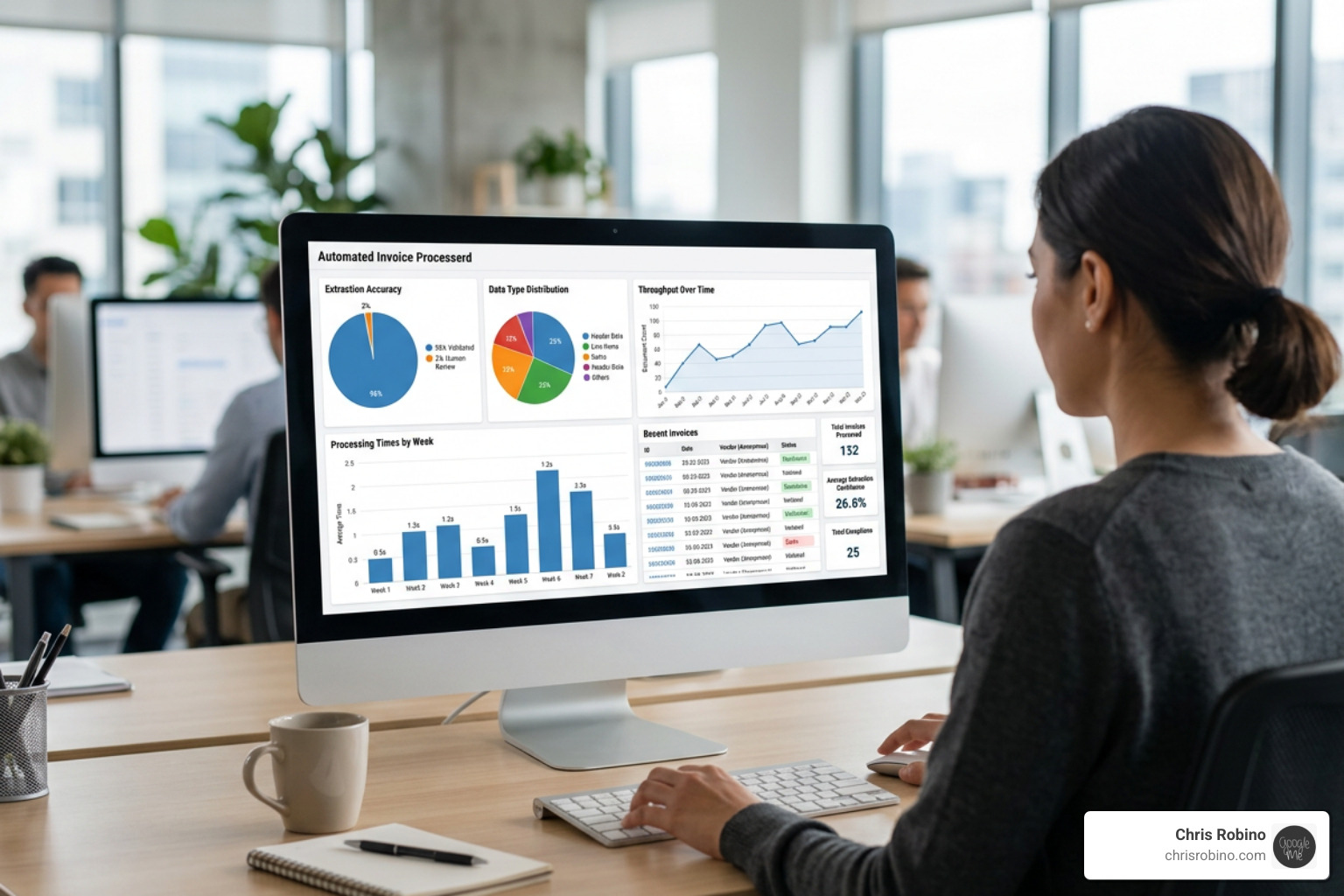
- Finance & Invoice Processing: A global retailer achieved 2.5x faster end-to-end processing speeds and 98% data capture accuracy by automating invoice matching.
- Real Estate Transactions: Teranet achieved a 75% faster turnaround time and increased transaction capacity by 30% after automating document checks.
- Loan Credit Agreements: Using agentic automation to read unstructured loan documents, teams have cut processing times down to just six minutes—a 95% reduction compared to manual review.
- KYC and Onboarding: Instantly reading scanned passports, driver’s licenses, and utility bills to auto-populate CRM and compliance systems, ensuring rapid verification.
To see how these workflows are structured from the ground up, check out The Definitive Guide to Robotic Automation.
Technical Integration and Best Practices for Scalability
When building a scalable rpa and ocr architecture, several technical best practices should be kept in mind:
- Optimize Document Preprocessing: Before running OCR, apply image cleaning. Scaling images (the ideal size for characters is usually between 25 and 45 pixels), inverting colors, and removing noise will drastically improve accuracy.
- Select the Right Engine for the Job: Modern platforms offer multiple engine options. For instance, advanced OCR engines provide basic and extended packs, with the extended pack being necessary for complex Asian, Arabic, or Cyrillic character sets.
- Leverage Visual, Low-Code Tools for Quick Wins: For straightforward document types, modern low-code automation tools offer visual, key-based extraction rules that locate values based on surrounding labels, even if the layout shifts slightly.
- Use Dedicated Runtime Activities: For enterprise deployments, avoid running OCR directly within your development environment. Instead, use dedicated runtime activities to pass the document structure directly to machine learning extractors.
- Handle Custom Documents with Text Operations: If you are dealing with highly custom document types, we recommend combining OCR engines with rule-based text extraction. This involves extracting complete text blocks and then pulling specific values using string operations like “Get Text After” to isolate the required data.
- Maintain a Human-in-the-Loop (HITL): Always design a fallback loop. If the confidence score of the extracted text falls below a certain threshold (e.g., 90%), route the document to a human operator for validation.
For a comprehensive blueprint on aligning these technical choices with your overall business objectives, see our Technology Innovation Consulting Complete Guide.
Conclusion: The Future of Intelligent Automation
The integration of rpa and ocr has evolved from simple, rigid template-matching into dynamic, AI-driven cognitive automation. By combining the muscle of RPA with the eyes of OCR and the brain of modern LLMs, businesses can finally unlock the value hidden inside their unstructured data.
As we look further into 2026, hyperautomation and agentic AI will continue to redefine how we work, turning document processing into a self-learning, background utility.
If you are ready to eliminate manual data entry, optimize your workflows, and build an automation strategy that scales, we can help you navigate the transition. Explore our core services at Robotics Process Automation to take your first step toward intelligent document processing.